




If you have ever propped your phone up against a water bottle to record your squat form, only to review the footage and realize you look more like a folding lawn chair than an athlete, you are not alone. Getting your weightlifting form right is difficult, and hiring a personal trainer to watch your every move is incredibly expensive.
Over the last year, fitness apps featuring “AI Coaches” have flooded the market. They promise to watch you through your phone camera and correct your form in real-time. The catch? The vast majority of these mainstream apps charge a massive monthly subscription fee and, worse, beam your live video feed up to a corporate cloud server for processing.
But as of May 2026, the open-source Android community has completely solved both the cost and the privacy problems. By looking outside the Google Play Store and sideloading custom APKs, you can turn your smartphone into a highly secure, offline digital coach. Here is everything you need to know about local pose estimation and why your next fitness app should come from GitHub.
What Exactly is Pose Estimation?
To understand why this technology is so incredible, we have to look at how it actually functions.
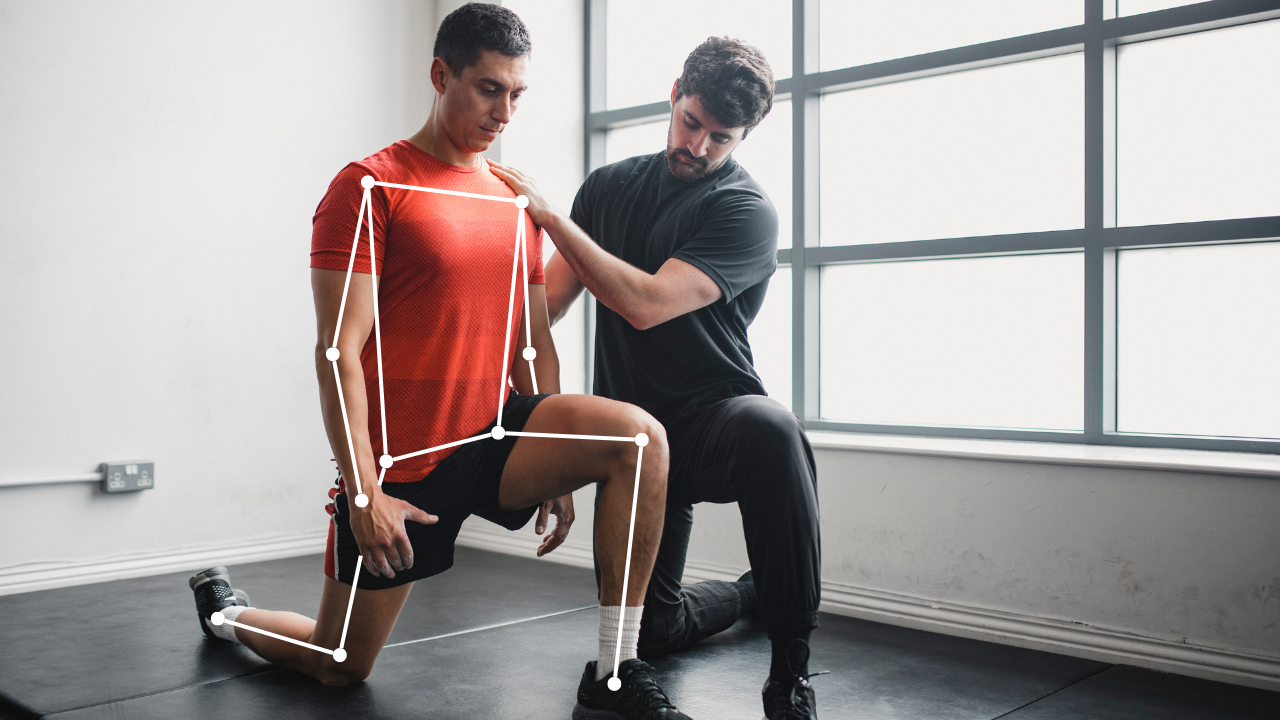
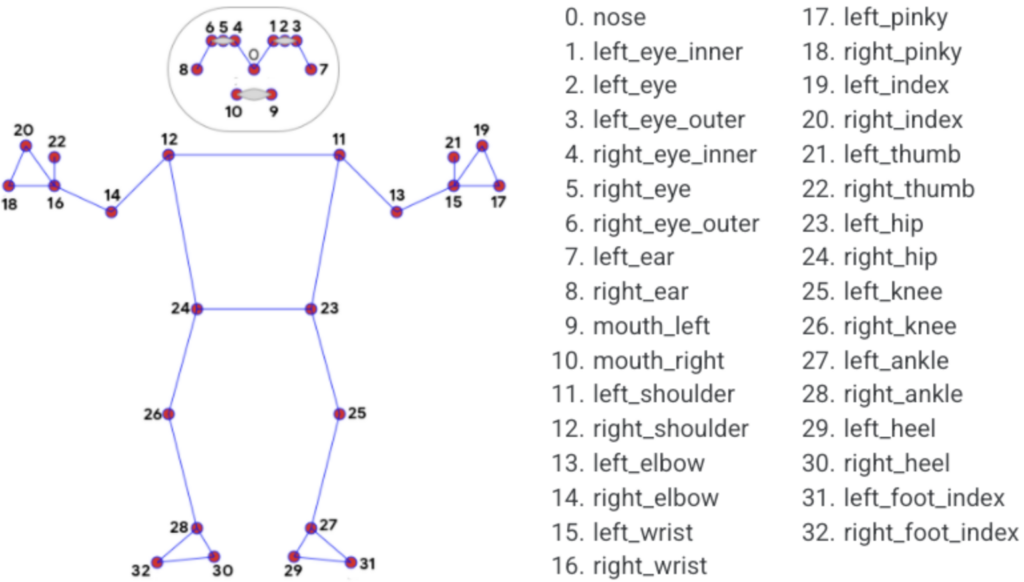
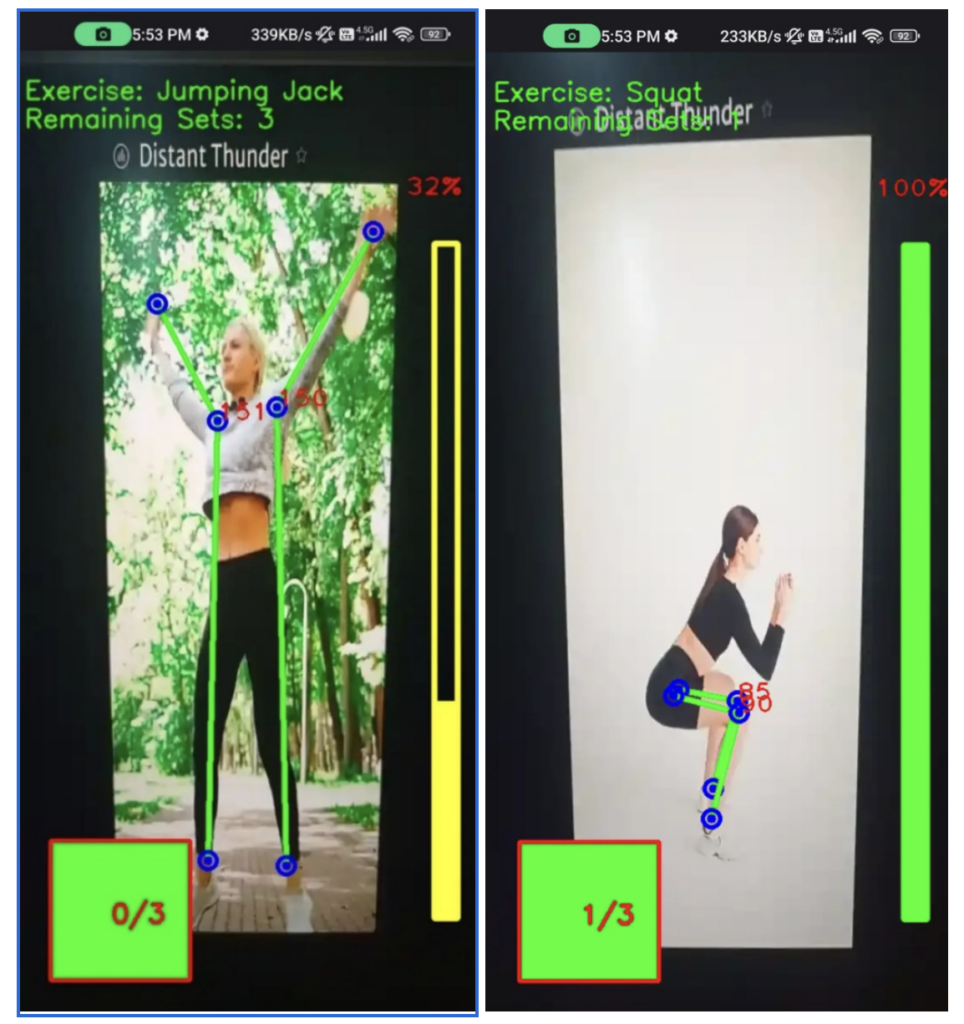
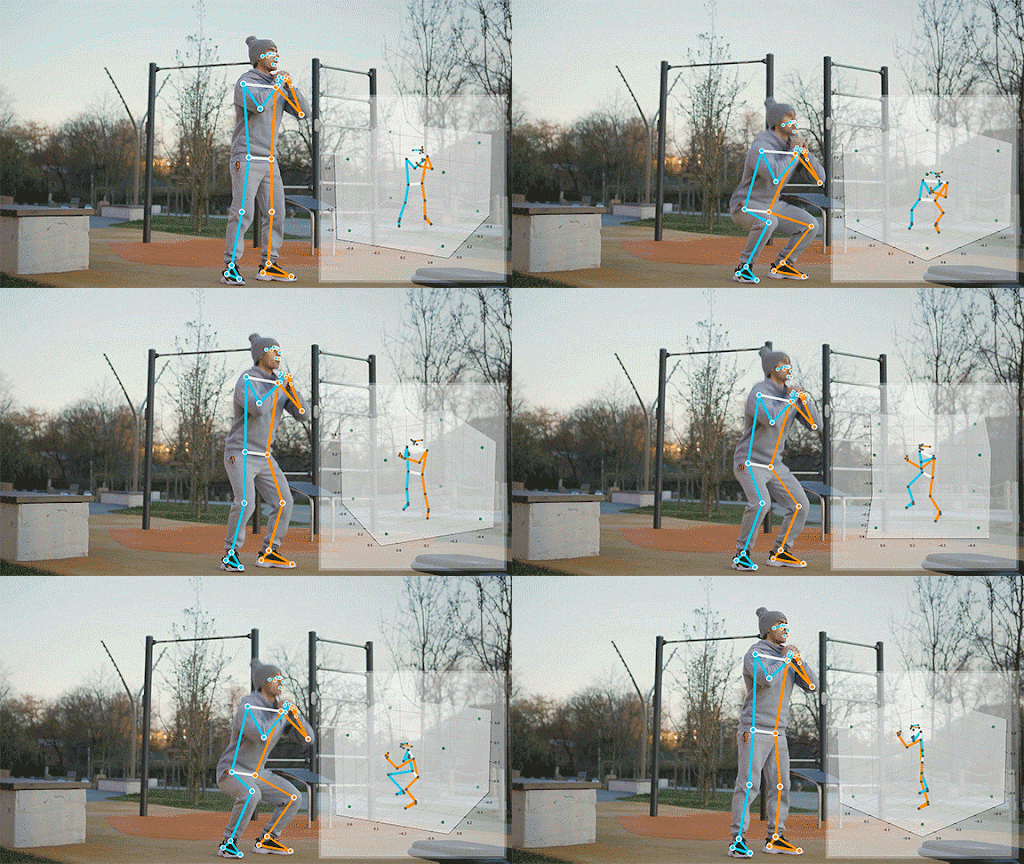
When you use a local pose estimation app, your camera is not actually recording a video of you. Instead, the software uses a machine learning framework to identify your body parts in real-time. It instantly maps out 33 distinct “landmarks” across your body—your wrists, elbows, shoulders, hips, knees, and ankles.
“The AI does not care what you are wearing or what your living room looks like. It simply draws a digital, invisible stick figure over your body and mathematically measures the angles of your joints.”
Because it knows exactly where your hips and knees are, the app can instantly calculate if your squat is deep enough, or if your lower back is rounding dangerously during a deadlift. If your angle is off, the app verbally warns you before you pull a muscle.

Why Sideloading is the Secret
If this technology is so great, why do we need to sideload it via APK files instead of just downloading it from the Google Play Store?
The answer comes down to privacy, processing, and developer freedom. Building accurate body tracking from scratch is complex, so independent developers use open-source frameworks like Google’s MediaPipe or YOLOv8. However, getting these heavy AI models approved on traditional app stores is a nightmare of red tape. Mainstream app stores heavily scrutinize any app requesting constant camera access and maximum processor power.
Furthermore, independent developers who build these tools out of passion refuse to lock them behind a $20-a-month paywall. By hosting their compiled APKs directly on GitHub or community repositories like F-Droid, developers can offer completely free, fully unlocked fitness trackers to anyone willing to install them.
Most importantly, sideloading an open-source APK guarantees privacy. These community-built apps are designed to be “100% on-device.” You can turn on Airplane Mode, launch the app, and the computer vision will still work perfectly, guaranteeing that your video feed never leaves your living room.
The Real APKs: What to Search For
If you are ready to browse GitHub or alternative repositories, you will not find apps with polished, marketing-heavy names. Open-source software is beautifully literal. Here are the actual project names and APKs you should look for to start tracking:
- MediaPipe Pose Tracking: This is the absolute gold standard in the open-source community. Built on Google’s BlazePose research, the MediaPipe GitHub repository offers direct downloads of their prebuilt “Pose Tracking GPU” APK. It is a bare-bones, highly accurate tracker that fitness biohackers love for its raw, unfiltered joint data.
- QuickPose: QuickPose is a massive open-source project designed specifically to make fitness counting accessible.While built primarily for developers, their GitHub release page contains fully functional mobile SDK demo APKs designed to natively count squats, track leg raises, and measure your exact range of motion.
- TensorFlow Lite Pose Estimation: Sideloading the official TFLite Android example APK gives you a highly optimized, lightweight camera coach. Because it is designed to be as efficient as possible, this specific APK runs brilliantly without overheating your phone.
What Can a Sideloaded Coach Actually Track?
If you are ready to download a local tracker, you might be wondering what exactly an open-source AI can actually do for your workout. Because the code is highly customizable, developers have built specific trackers for almost every movement.
| Exercise Type | What the AI Actively Measures | The Benefit |
| Squats & Deadlifts | Knee hinge angles and spinal alignment | Prevents lower back injuries and enforces full depth. |
| Push-ups | Elbow break depth and hip sagging | Stops you from cheating by just bobbing your head. |
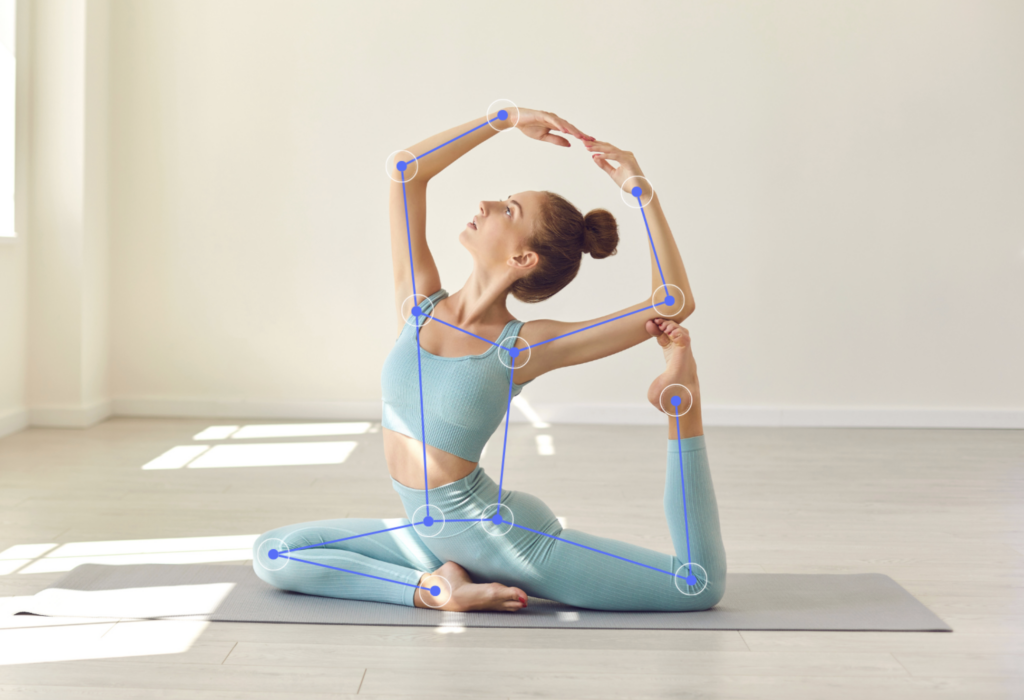
| Yoga Asanas | Limb alignment and isometric hold duration | Acts as a silent instructor, confirming your poses. |
| Physical Rehab | Strict joint range of motion (ROM) | Tracks daily flexibility improvements after an injury. |
The Hardware Reality Check
Before you head over to your favorite open-source repository to find a pose estimation APK, we need to talk about your phone’s hardware.
Running real-time computer vision at 30 frames per second is incredibly demanding. If you try to run a MediaPipe-based APK on a budget phone from five years ago, your device will likely lag, turn into a space heater, and drain its battery in ten minutes.
To get smooth, instant feedback, you really need a modern Android device equipped with a dedicated Neural Processing Unit (NPU). Phones sporting a Snapdragon 8 Gen 2 processor (or newer), or the latest Google Tensor chips, will chew through the visual data without breaking a sweat.

The Bottom Line
You do not need to pay a premium subscription to fix your workout form, and you certainly do not need to upload videos of yourself sweating in your garage to a random cloud server. The open-source community has handed us the ultimate fitness tool in the form of completely free, privacy-first APKs.
Find a reputable open-source tracker, verify the APK signature, install it on your Android, and lean your phone against that water bottle. It is time to let your phone’s processor do the spotting.